Pixels of the Week – May 3, 2026
Why you need a UX strategy, craft vs AI convenience and a cat to stop your doom scrolling
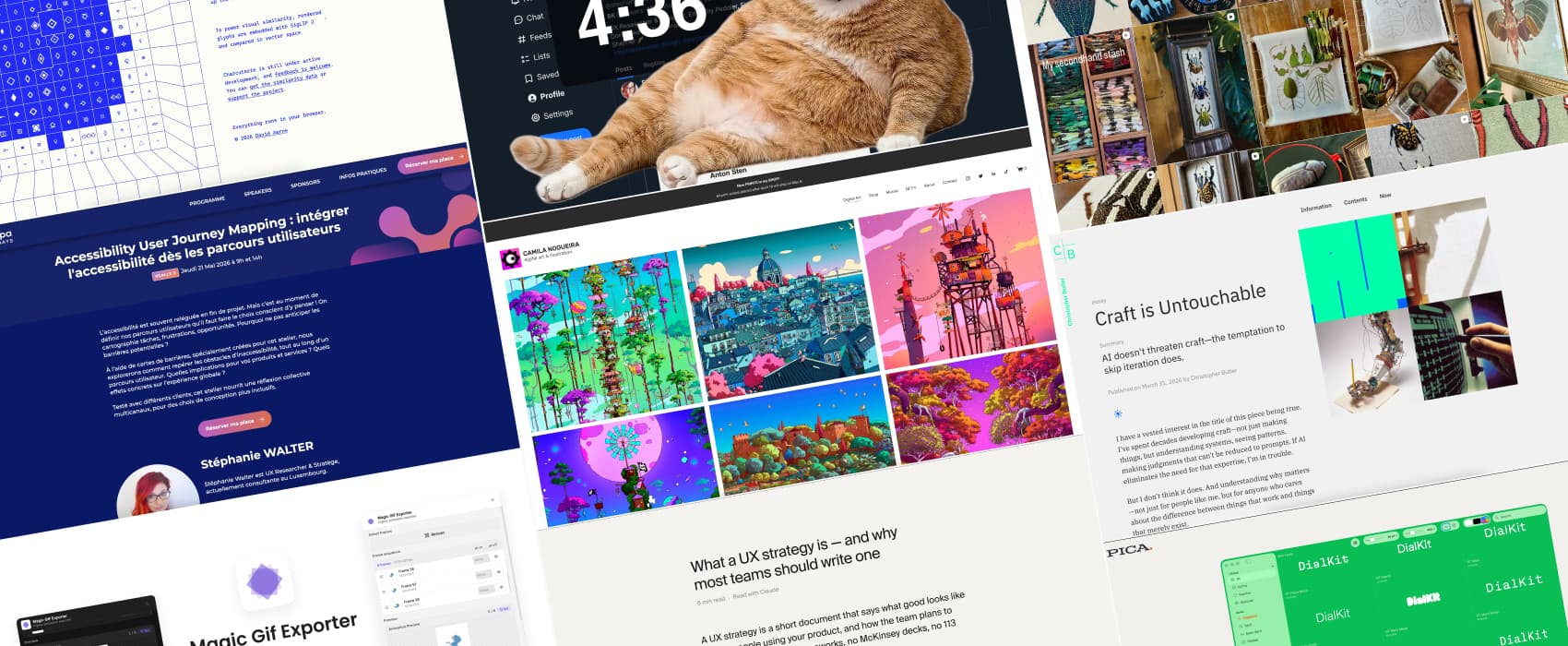
Pixels of the Week is my weekly-ish curated newsletter for designers, UX folks, devs, and anyone building accessible, inclusive, usable (and let’s be honest, awesome) digital products. This edition covers why UX strategy is an often skipped yet most needed step in a project and how AI tools risk replacing craft with convenience. Also: a fun cat that blocks you from doom scrolling and beautiful illustrations and embroidery inspiration.
Subscribe to my newsletter to get this directly in your mailbox!
Now: what I’m currently up to
This one is for the French UX community: I’ll be in Paris for the Flupa UX days from May 21 to 22. I’ll run my new workshop on Accessibility User Journey Mapping You can also check the LinkedIn post about it (in French). I’ll be around for the event, and the UX by night party, reach out if you want to chat!
Interesting articles that caught my attention
What a UX strategy is — and why most teams should write one (8min) One of the most skipped steps in UX. And one of the most needed: a UX strategy is a short document that defines where you are now, what a good experience looks like (where you want to be) and how the team plans to get there. The document itself isn’t the point though, the point is the conversations, to arrive at it. This is what will help everyone align, towards the same direction. And avoid the team pulling in 10 different directions. By Anton Sten.
Craft is Untouchable (12min) AI doesn’t kill craft. Craft in our design job is structure, hierarchy, clear communication. The danger: AI tools push designers (and non designers) into building products super fast by skipping these important iterations. Accepting the first output as done. This isn’t craft, it’s convenience. But, sadly, this is often “good enough” for most people. Interesting thoughts by Christopher Butler. I tend to agree here, this is also why I think we need to keep teaching fundamentals. Otherwise we’ll end up with a generation of designers, who don’t know how to design without AI tools!
Inspiration: fun experiments, beautiful art, and great ideas
Camila Nogueira is an illustrator artist and muralist from Porto, with a colorful bright neon style. I really love the vibe of those beautiful surreal worlds.
Danielle Sophie’s flor and faun embroidery is simply exquisite, I love the style.
Useful tools & resources
Magic GIF Exporter a Figma plugin that lets you select any set of frames and export them as a polished animated GIF MP4, or WebM video in seconds. I can totally see this used for some small fun animations, yeah.
Cat Gatekeeper Worried you spend too much time on social media? I got a solution for you: how about a giant orange cat that hijacks your screen and forces you to take a break from different social media websites? Yup, that’s a fun little Chrome plugin. Now I need this for Firefox and inside of Figma, to force me to take breaks, not just from social media, but also, from hyper focus that makes me forget to move.
Charcuterie is a little gem for typography and unicode lovers. It lets you visually explorer for Unicode. Browse the character set, discover related glyphs, and learn more about the scripts, symbols, and shapes that make up the standard.
Pica, a MacOS font management app a nice little tool to preview fonts without having to install them, create collections and organize your font files.
