Pixels of the Week – November 29, 2026
Decision theater in the age of AI, cognitive accessibility & fun murder mystery puzzles.
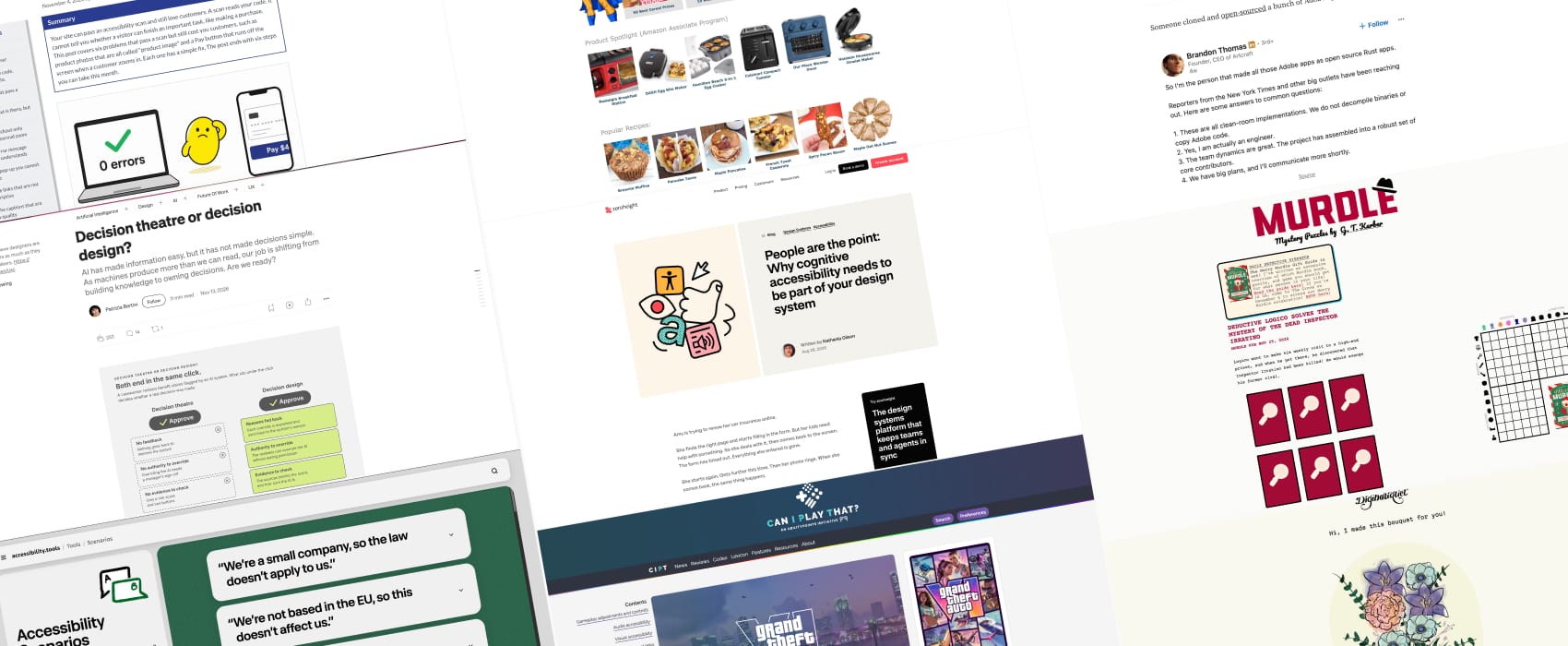
Pixels of the Week is my weekly-ish curated newsletter for designers, UX folks, devs, and anyone building accessible, inclusive, usable (and let’s be honest, awesome) digital products. This week we explore design theater and decision in the age of AI, and cognitive accessibility in design systems. Also don’t miss a typeface grown from slime mold, murder mystery puzzles, and some CSS squircles tutorials.
Subscribe to my newsletter to get this directly in your mailbox!
Now: what I’m currently up to
I’ve had the best time last week at performance.now() in Amsterdam. If you have the chance, I highly recommend you try to attend. I meant what I said in the introduction of my talk: I was scared to talk about UX in front of performance developers, but, I’ve spent 2 days listening to amazing talks where people talked about the users, and the user experience more often than in some design talk. Performance is indeed at the intersection of UX, development, marketing and business (that’s from one of the slides during the conference).
Most popular content this week
Strangely the most popular content this week was my rant about the fact that we don’t get video game demos anymore. You can participate on LinkedIn, Mastodon and Bluesky. The bottom line is demos used to help people know if they can play the game: from disabled people checking the accessibility options, to knowing if the game would work on your setup. For game accessibility, kudos to websites like Can I play that try to list the accessibility features when they have access to the game. GTA6 at least on PS5 also has a list of accessibility features, but, here, again, it’s pure theory, sometimes even with those, the game is not playable. So, it’s a gamble. It’s quite sad we lost those. And yes I understand the technical reasons, but, it’s the usual “tech vs UX (or more like GameUX)” conundrum.
-15% on Smashing AI conference
AI is changing how we design and build. On December 1, SmashingConf will host the AI 2027 Conference: a live online day on where AI stands today, what to expect in 2027, and where teams get it right. 8 AM to 12 PM PT (5 PM to 9 PM CET). And I’ve partnered with them to give you an early Xmas gift: a little -15% discount!
Articles
Decision theatre or decision design? (11min) by Patrizia Bertini. AI makes it easy to get lots of information. But it does not make deciding easier. A person still has to choose what matters and take responsibility. An “approve” button that only says yes to AI output is not real decision-making. Good decisions need people who understand the topic, the power to say no, and enough time to think. And honestly: time is what we are missing these days, as we are expected to make decisions faster, with AI. I am a little bit worried about us, as people, and as an industry.
Why Design Systems Need Cognitive Accessibility (10min) by Nathania Gilson. Cognitive accessibility is often a gap in our design system, because it goes beyond UI components and doesn’t show on automated accessibility testing. Decisions like “what happens when the user steps away mid-task” and “what should the error message actually say” need to be documented, so they stay, and stay consistent.
Why bother paying for software anymore? (10min) “Just because writing code became faster, easier and cheaper, that doesn’t mean making software did. In fact, it’s actually the opposite. You see, making software has always been hard, not because code could only be written by a scarce minority of handsomely paid individuals, but because people can’t agree on what the software should do. And more importantly, what it shouldn’t do. It’s the whole reason designers run stakeholder alignment workshops, design sprints and other caffeinated rituals of sticking colorful notes on whiteboards.”
Joke around the sticky notes aside, yes I fully agree with this and the rest of the article by Ed Orozco. It will get harder and harder to make good software, because people won’t want to pay for those. And it will get harder to get people to innovate.
Curiosity cabinet
MURDLE If you like puzzles, clues and murder mystery, you will love Murdle, a daily little murder mystery game for you to solve!
Interesting websites
Mr. Breakfast, a catalog of breakfast recipes and articles about breakfast, very niche, but, also, this is the kind of website I live for, fun, niche, imperfect, yet, a little gem. Also there are 194 omelette recipes, what, how???
Digibouquet This week’s adorable project you want to bookmark and support is a cute little website that lets you create a digital bouquet and send it to people, with a little card.
The Untamed type: why create a typeface, when you can literally grow it? This is the really cool idea of Ringailė Demšytė: she spent half a year understanding and growing slime mold to grow the font, letter by letter. I love how she explains she had to develop empathy towards the slime and the whole project is a negotiation between her trying to guide the organism and it doing its own thing.
Useful tools & resources
Accessibility Scenarios: it’s not always easy to find the right answer to accessibility pushback. An interdisciplinary group of researchers, designers, and developers brought together different accessibility scenarios, with answers backed by data that you can copy, paste and share.
Videos
The spreadsheet has a user guide: a funny skit by Earl Duque, that actually hurts, because, yes, it’s true in many places.
Tutorials
Squircles Jesper Vos geeks around with CSS to rebuild the iOS 7 squircle using some @supports CSS feature for progressive enhancement. Love it!
What Automated Testing Misses: Six Accessibility Problems That Pass a Scan (18min) A scanner mostly confirms that something is present in the code. Only a person can tell you whether it works. Thomas Logan presents multiple examples for which you need manual testing and why, from wrong or poorly written alt text, link descriptions, captions and error messages to keyboard traps, etc.
Latest news in the industry
Canva added an AI ‘kill switch’ to its tools (5min) as a big “give user choices” advocate, I am happy to see that some companies at least help the users who don’t care about AI features declutter their screens by hiding them.
