Pixels of the Week – April 26, 2026
Pushbacks on accessibility, the accessibility engineering problem & inspiration from video games!
Pixels of the Week is my weekly-ish curated newsletter for designers, UX folks, devs, and anyone building accessible, inclusive, usable (and let’s be honest, awesome) digital products. This edition debunks 9 accessibility myths with data, and discuses the accessibility engineering problem. Plus: a Zelda Three.js browser game, a subway train jazz experiment, and making emojis screen reader accessible.
Subscribe to my newsletter to get this directly in your mailbox!
Now: what I’m currently up to
I’ve published a new article this week, and, yes, it’s another long one: 9 Accessibility Myths and Pushbacks (And How to Answer Them). When advocating for accessibility as a designer, I often face the same pushbacks, over and over again. So I took 9 of the most common ones, and bring to you ways to answer, reframe, but also, data and evidence to give people, to go beyond accessibility myths. I hope it helps. I also put an anchor on each, this way, you can send it directly to colleagues!
On the fun side, I got a new mat for my desk, I’m in my “full purple dopamine decor” area. I posted the picture of the setup on Bluesky, on Mastodon and on LinkedIn. Also I love seeing other people’s setups, so, share yours! I’ve also been testing a new Faber-Castell acrylic white pen, and, I’m surprised at how much coverage I get compared to the Posca. I might invest in some of those!
Interesting articles that caught my attention
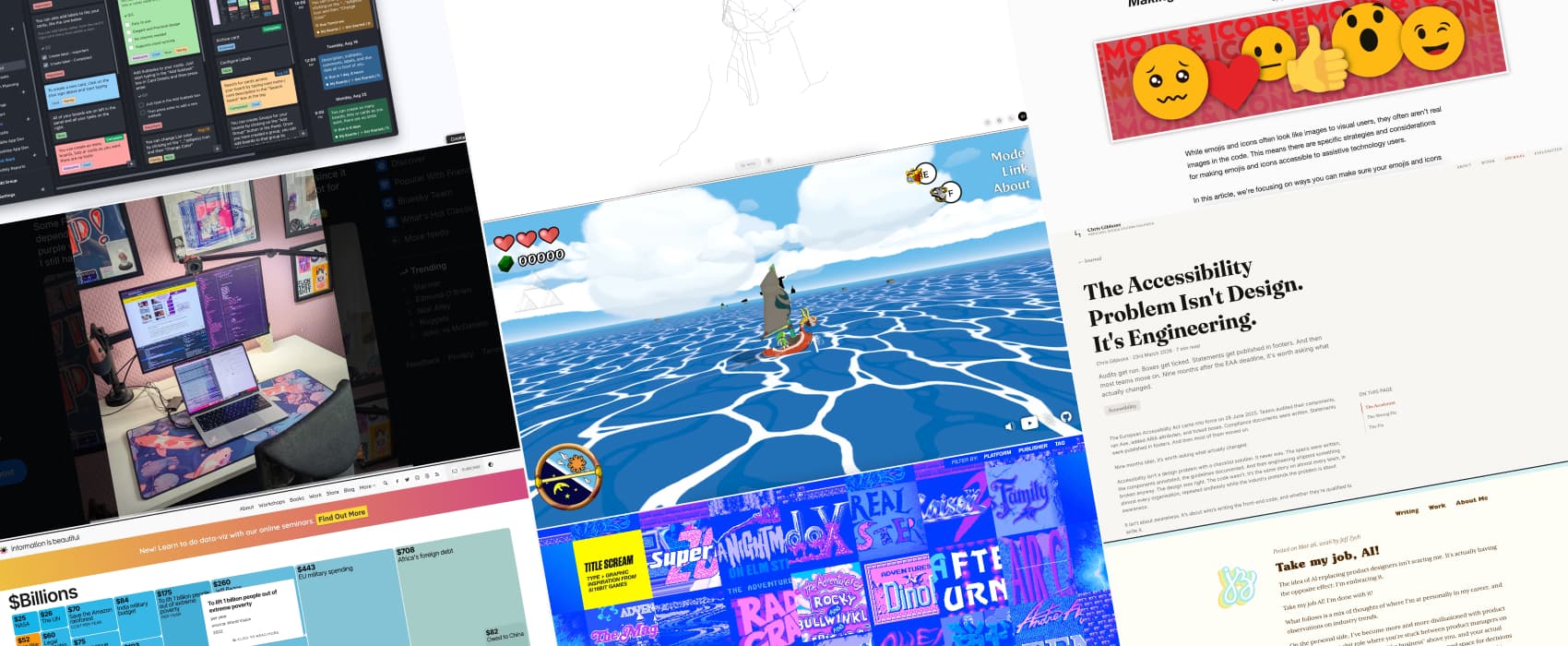
The Accessibility Problem Isn’t Design. It’s Engineering. (15min) Chris Gibbons argues that designers can document all the accessible components they want, in most companies, full stack developers don’t know how to actually implement them. It got worse with AI assisted coding: for an engineer without accessibility foundations, those tools push even more broken code to production. The real fix: hire people who deeply understand semantic HTML and treat front-end as a specialism. So that we stop treating accessibility like a compliance checkbox and start actually building inclusive products.
Take my job, AI! (6min) Take my job, AI! On embracing being replaced by AI, hu?! So, Jeff Zych is tired of the current state of product design where designers are powerless middlemen between PMs, engineers and business with zero power. Yeah, I can relate with that part, I’m also feeling burnt out from this. He sees AI as a change to break away from this and get excited again about building products. He’s just not what it will look like. It’s an interesting take, but I’m not 100% convinced here. I’m afraid that most companies will continue seeing designers as pixel pushers, and replace them with AI pixel pushers. So, in order to evolve, designers might have to shape themselves into another role. I know a couple of us became business analysts or even PMs already. Some people talk about more strategic roles, but again, it means a big design maturity, which most companies don’t hate (yet?). I wonder if there are other roles for designers who don’t want to be pixel pushers anyway but have a real impact?
Curiosity cabinet: non-design/tech rabbit holes I enjoyed
The Billion Dollar Gram information is indeed beautiful, an infographic comparing that puts figures like war costs, tech revenues, military budgets, and billionaire wealth side by side to show scale. by David McCandless
Inspiration: fun experiments, beautiful art, and great ideas
Wind Waker JS this week’s procrastination and fun demo: Robin Payot recreated the ocean part of Zeldan the Wind Waker using Three.js. I am very bad at this, but it’s both fun and impressive
Title Scream In the mood for some retro gaming design? Here’s some inspiration from 8/16bit games title screens (warning: moving repeating gifs that might trigger seizure/ motion sickness). Created by Cameron Askin
Train Jazz is what happens when you mix jazz and train enthusiasm: a jazz combo played in real time by every active NYC subway train. It’s fun and strange at the same time. Rush hour fills the band with held tones; at 3 a.m. the silences grow longer. Whatever is playing now has not played before and will not play again.
Useful tools & resources
Brisqi.com a no subscription “pay once” kanban tool, with offline support and a Windows, macOS and Linux app.
Tutorials
Making emojis and icons screen reader accessible (12min) emojis are picture characters, with a name that gets read by screen readers. This can lead to issues when the name doesn’t convey your intended meaning. If you use them as icons in a place where you control the HTML you can treat them like regular icons, with visible text methods, screen reader only method, aria-label. The main challenge with social media and email clients is that you don’t control the HTML. In those cases: keep emojis at the end of sentences, limit their use, and always write the actual meaning in plain text when an emoji carries important context. by Elle Smith.
