Pixels of the Week – July 5, 2026
16 UI design tips you can't miss, cute clay creatures & a fun accessibility quizz.
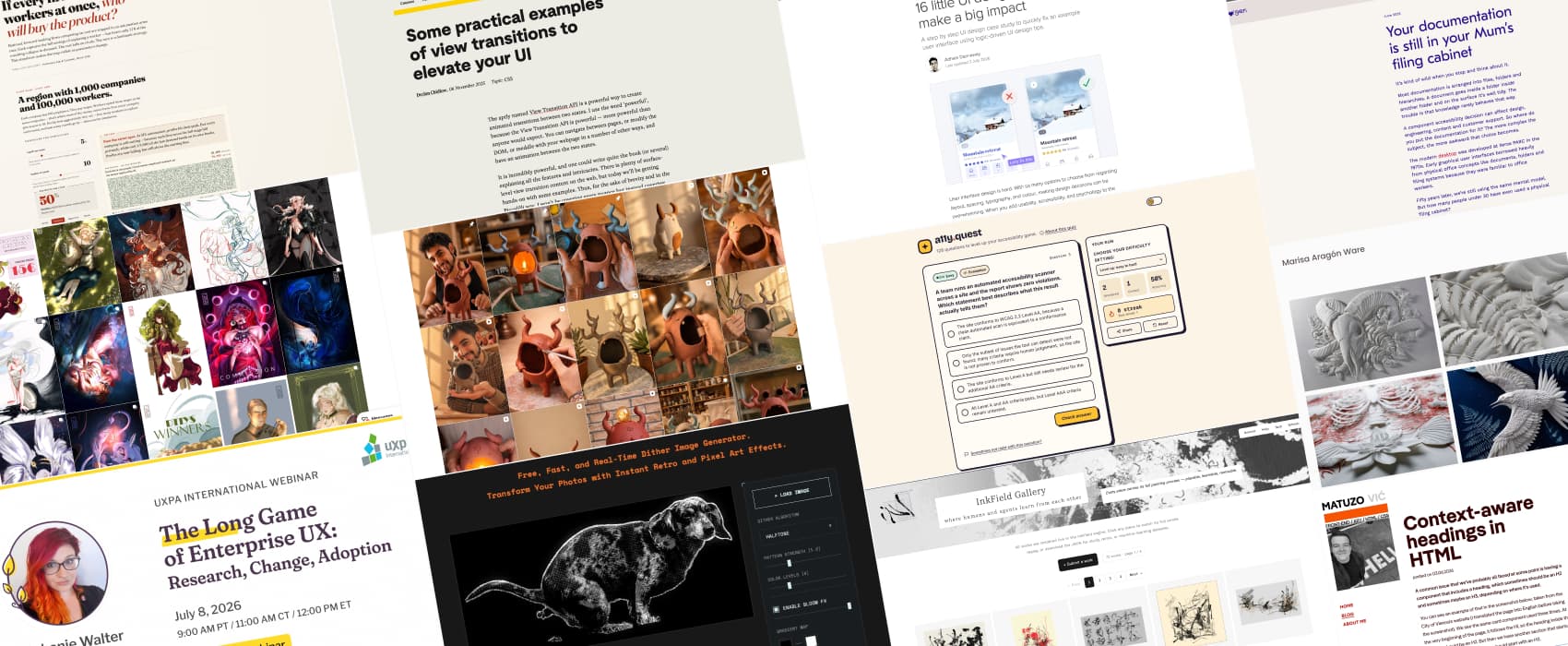
Pixels of the Week is my weekly-ish curated newsletter for designers, UX folks, devs, and anyone building accessible, inclusive, usable (and let’s be honest, awesome) digital products. This week I’m sharing 16 UI design tips for better designs, why less is (still) more in the age of AI and a fun accessibility quiz! I also loved some paper sculptures and cute clay creatures and an interesting stroke-recording drawing tool.
Subscribe to my newsletter to get this directly in your mailbox!
A free webinar on enterprise UX & some tattoo paper

Enterprise tools are ugly, hard to use, and nobody cares. That’s sadly what a lot of people still think. But, the employees using those tools do care and deserve better!
If you work in enterprise UX, my 1h free online webinar on Enterprise UX with UXPA is for you! I’ll share why I actually enjoy working in Enterprise UX, what surprised me when I started, and how to grow in such environments. It’s on July 8, and you will get the replay if you can’t come to the live. So, register!
Also, I now have tattoo paper! It’s been fun to use, provided that you don’t forget to mirror the print haha. I’ve turned my “Coffee because murder is frowned upon” into a little tattoo to try this out.
Most popular content this week
16 little UI design tips that make a big impact (15min) UI design doesn’t have to be hard, inaccessible, or ugly! Adham Dannaway brings you 16 logic-driven UI design tips to turn a messy interface into a clean, accessible one. He covers spacing, consistency, hierarchy, accessible contrast, typography and more. Honestly, a great case to start for design students!
Articles
Your documentation is still in your Mum’s filing cabinet (8min) Folder within folders, we’ve organised documentation like it’s been 1970 forever. But people don’t browse documentation like librarians: they search, skim and follow links. There’s a lot of knowledge that doesn’t fit into 1 folder. The future of documentation isn’t a bigger filing cabinet with better labels. It’s a connected body of knowledge that can be discovered from multiple directions by both humans and machines. Great read by Geri Reid.
Less is more, more or less (8min) AI makes it easier than ever to add more, and faster. It’s tempting. But we might end up building things that don’t need to be built quantity over quality. Clarity will be hard to achieve. It doesn’t happen by accident. It requires practice, deep understanding, and judgment. You need to know what to remove, what not to build, what to leave alone. Next time you want to add something, a feature, an animation, ask yourself: will it make the final product better? by Jakub Krehel
Our CSS isn’t opinionated enough (10min) Craig Abbott argues that the CSS “class only” approach is nice, but it also makes it easy to build things that are not accessible. For example: make a div look like a button. He proposes to style the HTML tags and ARIA attributes directly (like button or [aria-expanded=”true”]). This way: developers can’t get the visual, without the proper semantics. Accessibility becomes a side effect of doing it right. Evil genius? But also, is this maintainable for a design system?
Why I email complete strangers (5min) in the area of social media where everything must be fast, emailing people might sound old school. Yet, it’s a slow, but more intentional way to communicate. What’s the worst that can happen? People ignore it. At best: you’ll get an interesting conversation, or a friend. So, yeah, email strangers (but don’t be creepy!!). Tips: read their work first, be specific, keep it short, and don’t ask for favors.
Curiosity cabinet
The AI Layoff Trap an interesting interactive simulation that tries to answer the question “If every firm lays off workers at once, who will buy the product?”. You can simulate different strategies and see how fast the whole system collapses
Inspiration
I love the work of Marisa Aragón Ware, especially her paper sculptures. The attention to details is simply exceptional.
Nomokoke are cute little clay creatures created in Spain that you can adopt, and they look absolutely adorable!
Patricia M. is a swiss architect and digital artist, and I love her portrait illustrations, especially the way she works with light
Interesting websites
InkField gallery is a fun project that records every stroke, pause, gesture when you draw, that can be replayed after. The canvas is built in WebGL/P5.js and records strokes in JSON. You can replay, study them, remix them. And record your own on InkField
Ditherimage.online is a free online tool to dither images, with different algorithms, including some halftone one.
Useful tools & resources
a11y.quest a free accessibility quiz to help you check your accessibility knowledge, by Dave Davies. You get 128 hand written questions across WCAG 2.2, ARIA, semantic HTML and contrast. And for each, an explanation for each answer
Videos
Getting Started with Custom Skills Interesting 14 minutes videos on how to use an AI skill to make it do things for Figma. In this case: a Claude still to convert a prototype into structured Figma file for annotations.
Tutorials
Some practical examples of view transitions to elevate your UI (14 minutes) Some cool transitions between pages or states using the view transition API (and prefers reduced motion) by Declan Chidlow
Context-aware headings in HTML (6min) ooh I’m super curious about this headingoffset attribute, it would let you have more dynamic components that have the right semantical heading, while keeping the style of the component header. Let’s see where this goes. by Manuel Matuzovic
Latest news in the industry
Config 2026: New Materials, New Tools and a More Expressive Canvas Now that Figma has a shader tool with many effects, I wonder how many of those we’ll start seeing as a “design” trends. The tool doesn’t make the designer, but still, sometimes…
Also, it feels like the latest updates are very “let’s do it all from motion to pictures, code and beyond, also, moaar AI” I’m curious about the code on the canvas parts though and the ability to easily create my own plugins, that can be quite nice. I will have to give it a try later when I get, time (and access haha it’s beta)
