Pixels of the Week – June 14, 2026
B2B research traps, what AI can't replace in design & a fun massive multiplayer online rave.
Pixels of the Week is my weekly-ish curated newsletter for designers, UX folks, devs, and anyone building accessible, inclusive, usable (and let’s be honest, awesome) digital products. This week we explore some B2B UX research traps, and how to build accessible charts. Also don’t miss a museum art search engine, a fun multiplayer online rave and some UI animation examples.
Subscribe to my newsletter to get this directly in your mailbox!
The one you should not miss
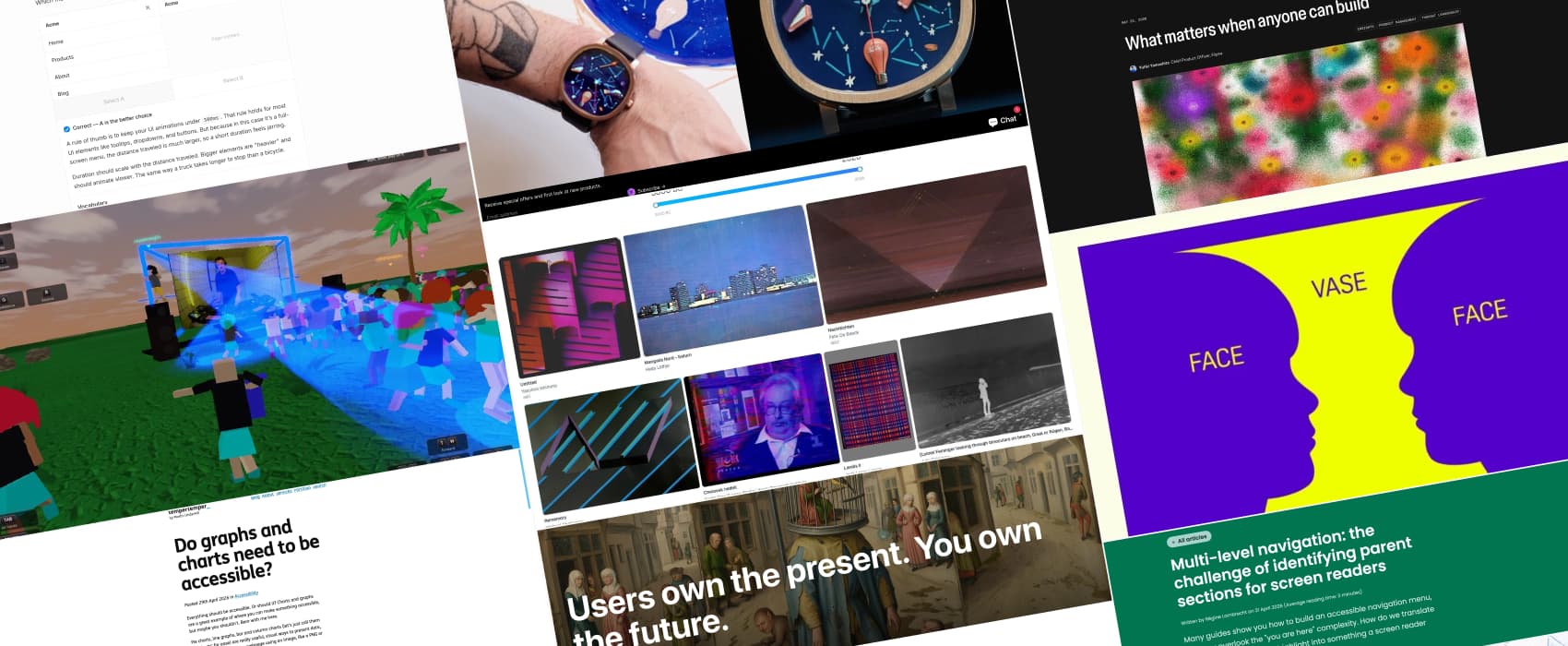
Users own the present. You own the future. (10min) When doing research in B2B, users who are highly specialized in your product will come up with a list of features they say they need. It’s a trap! Users own the present, they know what their day looks like. But, UX researchers, designers, PMs own the future: the product that doesn’t exist yet, and will solve their actual problems. Research is intake, not verdict. You still need one owner to interpret and decide. By Alex Dapunt
Articles
Closing the Loop: What to Do After a Design Critique Ends (10min) following up after design critique sessions is an important part of building trust. Some tactics you can use: show before/after and explain the progression, acknowledge what you didn’t act on and give the reason.
Do graphs and charts need to be accessible? (5min) Yes, and no: the chart image doesn’t always have to be exposed to assistive technologies, but the information it communicates must be accessible. For simple charts, you can include the data in the image alt text. For more complex charts, expose the underlying data in an HTML table, either using SVG with ARIA roles or by nesting a real table inside a details or summary element. By Martin Underhill
What Matters When Anyone Can Build (6min) “When anyone can ship, speed stops being what sets you apart. Direction does. The question is no longer just how to build, but what is worth building at all.” I agree with Yuhki Yamashita on this part. I’m conflicted with what comes next: use AI to produce multiple directions in parallel and run design reviews on those. You can produce 1500 high fidelity, if you didn’t define what you are trying to solve first, it’s like throwing pasta at the wall and waiting for one to stick.
Interesting websites
Hallucinate (warning sound + flashing images) there’s a corner of the internet where you can enjoy a massive multiplayer online rave, with a retro video game vibe, different areas for different music styles.
CityKnow explore places of the world via randomized street level images from different sourced from Mapillary
The Last Museum For my art lovers: The Last Museum is a search engine for museum art, with over 5 million of artworks indexed. You can search by theme, style, subject, vibe and more.
Optical Illusions and How They Work (15min) a little bit of brain science that explains a couple of common illusions, from selecting (the vase kiss), to filling in, priming, shadow and color illusions.
Useful tools
Train Your Judgement: a small quiz to decide which animation “feels” better. The interesting part is the explanation as to why one feels better than the other. I don’t always agree though, and some are really potato potato, and some would both trigger my motion sickness so my answer is “none”.
T2S – read aloud text for you. The ability to have a voice synthesis read a text to you, aka, text to speech technologies help a lot of people. I like T2S on Android because I can have it read my ebooks to me, but also, full articles from the web. (not sponsored, I actually paid for it because I like it).
Beautiful object
TIME AND SPACE Watch a (980 dollars) watch that celebrates humanity’s journey and progress with 4 symbols: a match for fire, a light bubble for ideas, a book for knowledge and illumination and a car for engineering. The craftsmanship by Oliver Jeffers is exquisite.
Tutorials
Multi-level navigation: the challenge of identifying parent sections for screen readers (5min) there is rarely a one size fits all solution for accessible complex components. Régine Lambrecht shares a ARIA and a hidden label solution, to help screen reader users understand the “where you are” in complex navigation.
