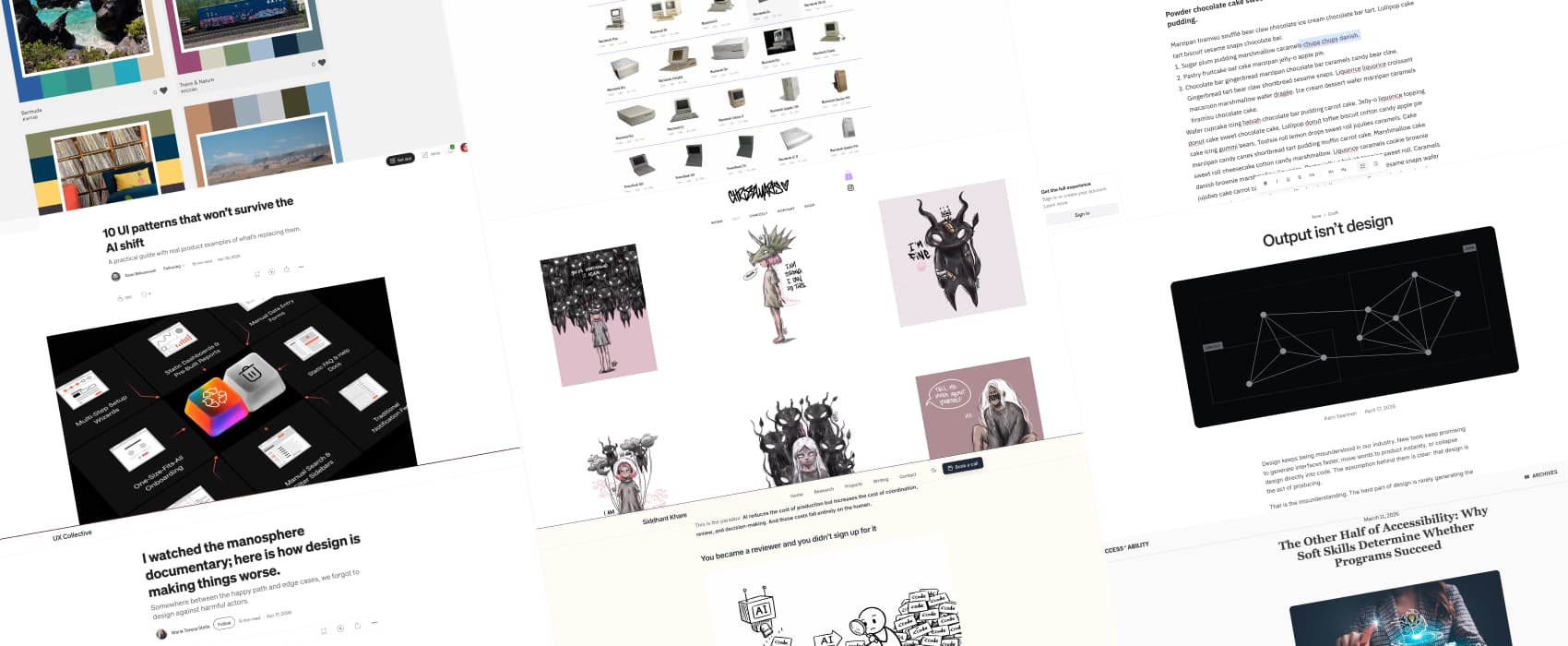
Pixels of the Week – May 10, 2026
Design beyond AI polish, harmful platform patterns, and beautiful illustrations exploring the human psyche
Pixels of the Week is my weekly-ish curated newsletter for designers, UX folks, devs, and anyone building accessible, inclusive, usable (and let’s be honest, awesome) digital products. This edition covers how output (generated by AI) isn’t design, AI fatigue in engineering, and skills for sustainable accessibility programs. Also: beautiful illustrations exploring the human psyche, a distraction-free writing tool, and 43 years of Apple Mac history in one dataviz.
Subscribe to my newsletter to get this directly in your mailbox!
Most popular content this week
Output isn’t design (5min) Design isn’t the pretty pixels. It is the slow, messy work of understanding context, constraints, and real needs. And then shaping a solution that actually fits. AI can fake the form, not the thinking. And when it’s faked, the product that looks polished, ambitious, and impressive at first glance, begins to unravel the moment you actually use it. Great thoughts by Karri Saarinen
Interesting articles that caught my attention
AI fatigue is real and nobody talks about it (12min) An interesting article by Siddhant Khare, listing the many reasons engineers feel burnt out when using AI: context switching, constant review of generated code, nondeterminism stress, and FOMO from not being able to keep up with all the tools. The solution: know when to say “stop”, to fix boundaries, and protect real thinking time. That’s going to be hard when AI tools promise productivity boosts to the people who decide to replace humans with AI tools.
I watched the manosphere documentary; here is how design is making things worse. (15min) by Maria Teresa Stella. “Somewhere between the happy path and edge cases, we forgot to design against harmful actors.” Yup, that’s it, and it’s scary, the way the social platforms are designed today rewards toxic behavior. There’s still things designers could do, but, honestly, who is going to listen to us at this point? Still, here you go, if you want to prevent harm: include anti-personas in your research, define anti-scenarios and find ways to stop them from happening, nudge towards positive behavior.
The Other Half of Accessibility: Why Soft Skills Determine Whether Programs Succeed (12min) Accessibility initiatives are not about ticking legal and technical boxes, they are about bringing maintainable long term change. And for that, you are going to need, many, many, skills (I hate the word soft skills, let’s call them skills shall we): change management, continuous learning, compromise and negotiation, stakeholder respect and trust, empowering teams instead of micromanaging, and regularly celebrating wins while crediting contributors.
10 UI Patterns That Won’t Survive the AI Shift (12min) Interesting examples of how AI can help with UI patterns around complex data handling, filling content, finding things, and customisation of the content targeted toward a specific user (by Taras Bakusevych). I wouldn’t go as far as “replace”, though, but I get the need for a catchy title.
For example, I too have my concerns regarding natural language search replacing filters, because they can help with discovery and surfacing options users were not even aware existed. But, it’s also about memory. I work in enterprise UX, and a lot of our advanced search filters contain options users don’t remember in detail, but sometimes need. A user once said “I don’t remember exactly what it’s called, but when I need it, I know where I can find it”. So, for complex systems with many options, filters act as recall tools, which is easier than having to remember all the options. We are building both: natural search for the quick and easy, but keeping the advanced filters, for those deep dive into the database.
The automated extraction of form fields is a good example of how AI extracting data can really help reduce cognitive load. As a personal anecdote, I did my taxes last week in Luxembourg. Which causes me a lot of stress each year. It’s a 14 pages PDF to fill, with numbers, coming from all sorts of annexes. I tried a paying tool that let me upload most of my annexes then prefilled the form with the content. It was honestly, impressively smooth. I then just had to double check, instead of having to recall “where did I put this number again last year??”.
Inspiration: fun experiments, beautiful art, and great ideas
Chrissy Sometimes, you stumble upon someone’s work that deeply resonates with you: the style, the content, the imagery, the themes. That’s what happened when I discovered Chrissy’s work. She’s a German illustrator and artist who explores the human psyche and the madness of everyday life, between chaos and sensitivity. And, I think her art will speak a lot to neurodivergent people. She also has more work on her instagram: @chrizzlyarts_ (I can neither or confirm that I might have ordered a lot on the shop, oups)
Useful tools & resources
Blank Page Tool of the week: if you are tired of cluttered text editors with 150 options you don’t need, you are going to this simple distraction free, text editor in the browser, write, share, enjoy. (by René Galindo and Mo Boudra)
154 Macs Since 1983 a really cool timeline dataviz showing 43 years of Apple’s designs, from Macintoshes, to PowerBooks, iMacs, Macbooks and beyond. I have to admit, the colorful 1998 iMac with the transparent cover is still iconic in my heart, I wish we would bring semi transparent hardware back.
Photo Palettes a nice collection of color palettes inspired by beautiful pictures
Cool and interesting videos
7 Everyday Hacks You Wouldn’t Have Without Disabled People! #DisabilityAwareness Little reminder that access for disabled people brought us a lot of innovations and technologies that benefit everyone: electric tooth brush, ramps, text to speech and voice assistants, Velcro, audio books, touch-less and automatic doors, subtitles and captions, etc. Great video by Jenni Pettican
Tutorials
The end of responsive images (8min) The sizes=”auto” attribute now lets browsers automatically determine the best image size to load. This means: we won’t need to add many complex sizes values automatically.
