Pixels of the Week – June 7, 2026
Modal vs pages UX, AI's effect on quality and a mathematical font pairing tool
Pixels of the Week is my weekly-ish curated newsletter for designers, UX folks, devs, and anyone building accessible, inclusive, usable (and let’s be honest, awesome) digital products. This week, we explore answers to common accessibility myths, modal versus page UX decisions, and how AI affects design quality. Also: a nice mathematical font pairing tool, a podcast about inclusive enterprise UX, and CSS new properties for grid gaps.
Subscribe to my newsletter to get this directly in your mailbox!
Now: what I’m currently up to
For my French speaking audience: if you are tired of having hearing, again and again the same accessibility myths, from “we don’t have disabled users” to “we will fix it later”, with a sparkle of “we can’t make touch the visual identity”, I published: Accessibilité : 9 mythes et objections, et comment y répondre..It’s a translation from Accessibility: 9 Myths and Pushbacks, And How to Answer Them, a list of 9 counter arguments, data, strategies and examples to help you convince people to invest in accessibility.
Most popular content this week
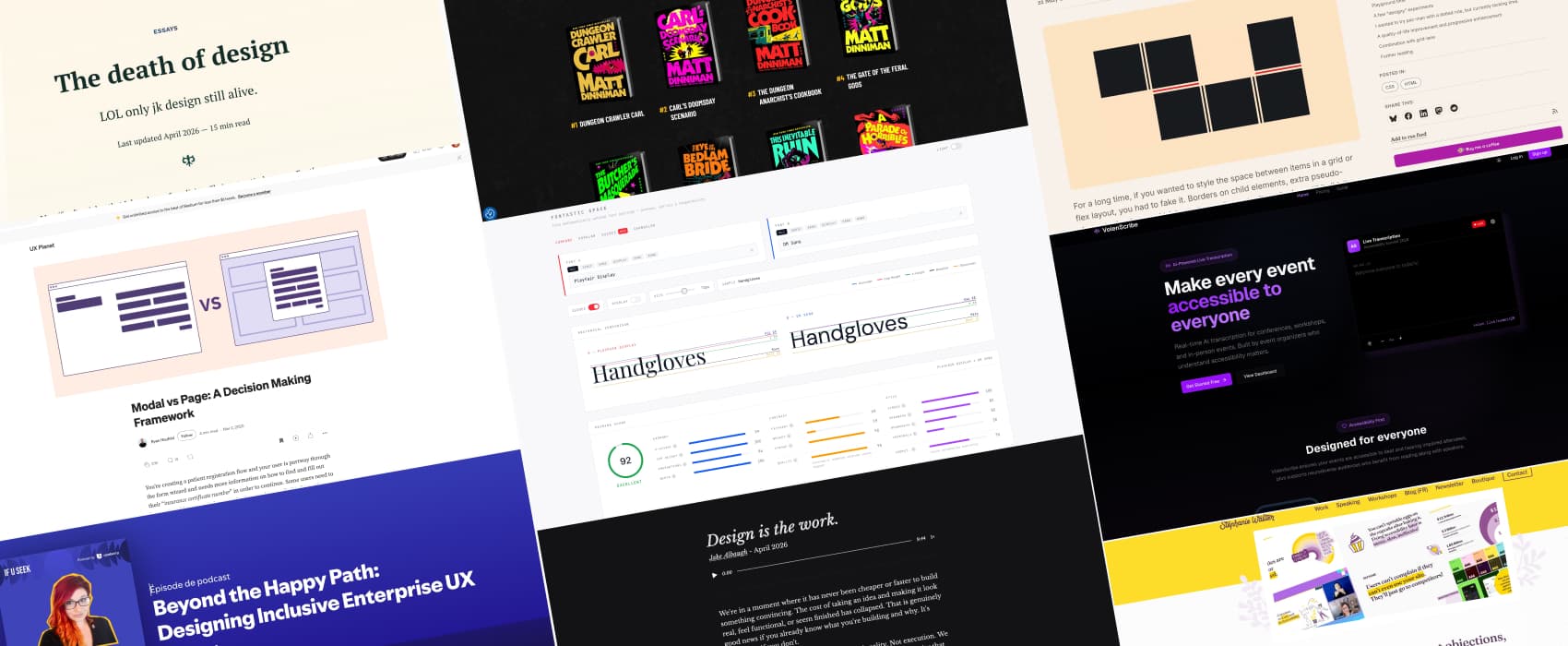
Modal vs. Separate Page: UX Decision Tree (7min) Vitaly helps you answer this big design question: Should this be a modal or a new page? In short: use modals for single, self contained tasks. Use pages for complex, muti-step workflows. Also includes a nice decision tree by Ryan Neufeld.
Interesting articles that caught my attention
Design is the work (10min) Design is the process, not the artifact. Yes, yes, YES! And AI accelerates execution, not clarity which means: you could build well, an absolutely useless solution. Since AI multiplies your intent, if your intent isn’t clearly defined, 100 times zero is, still, zero. To avoid that, you want to define the expectation before you execute, and share that clarity with others. Because shared clarity before execution means less correction after. And interesting essay by Jake Albaugh (who is also transparent about having used Claude to help him write it)
The 2–7 problem (4min) On a scale of “quality, 1 to 10”, AI lands between 2 and 7. It’s good enough for most projects. If you want to reach the 9, you need the messy ugly 1 iteration. And, AI isn’t good at this. So, to bring true quality, according to Anton Sten, we still need to be able to do messy ugly iterations.
The death of design AI prompt interfaces are very poor affordance for design but also, a step back in terms of universal design. Nathan Beck explains he doesn’t use Claude to spit out full interfaces because the output often ends up uninspired, average. Still they can be useful when you want to quickly explore ideas. In the end, good design has always been in our ability to push back, think critically, understand the how and why, not in producing pixel perfect mockups, so design will remain essential. I hope he is right, because, from what I’ve seen, for a lot of people who think they can replace designers with AI, the designer is, actually, just a mockup.
Curiosity cabinet: non-design/tech rabbit holes I enjoyed
The creation of instant coffee in case you ever wondered how it worked, from early fails, to spray drying and eventually freeze drying methods, a delightful caffeinated rabbit hole!
Books
Hi, did I already try to convince you to read Dungeon Crawler Carl? If not: New achievement, someone just tried to convince you to join a cult! Book 8 just came out, weee. Also, this is absolutely fantastic in audio book if you like reading with your ears.
Useful tools & resources
Fontastic Space is a free tool to help you find the mathematically optimal font pairing. It give you pairing score on multiple categories (including anatomical comparison of ascenders, cap height, x-height and more)
VolenScribe a real time affordable AI transcription tool for conferences. (I wonder how well it works for French though). And you can learn more about the project in this interview: Accessibility Isn’t a Budget Line Item: It’s a “Can They Participate?” Question – Jordan Harrison on captioning DevFest Ireland
Podcast
This one is for my enterprise UX folks: I talked about Designing Inclusive Enterprise UX at If U Seek, the Useberry podcast. I also explain how we run user research for complex busy workflows and tools people use on a daily basis. I hope people who work for B2B complex products will relate to this. You can listen to it on Spotify or listen to it on Apple Podcast. Also, I love podcasts, it’s one of my favorite format those days, so, reach out if you want to invite me to chat!
Tutorials
CSS is filling the gaps with rules. A way to style gaps in grid and flex (10min) okay this is super niche but also, I love the little details. You can use the “column-rule” to have some nice little borders around your grids, and use the “rule-overlap” to control their overlaps, play with “rule-visibility-items” to control if a rule appears, etc. (you need Chrome Canary to play with the demo). Brecht De Ruyte
How to export a Google Doc to a PDF – Pope Tech Resources (11min) 3 ways to export PDFs that are accessible from Google Docs: Grackle, native export, and via Word. by Elle Smith
